To enhance platform security and comply with global regulatory requirements, BTSE requires users to complete identity verification (KYC) to access certain features.
What are the verification requirements?
Starting 16 October 2025:
You must complete Level 1 (Primary Verification) to access crypto deposits and trading
You must complete Level 2 (Advanced Verification) to access fiat services, including:
Credit/debit card purchases
Bank transfers
Existing users will be given a grace period to complete verification. Details will be announced separately.
Verification levels and access
| Feature | Level 0 | Level 1 | Level 2 |
|---|---|---|---|
| Email / Mobile verification | ✔ | ✔ | ✔ |
| Government-issued ID | ❌ | ✔ | ✔ |
| Proof of address | ❌ | ❌ | ✔ |
| Crypto trading | ❌ | ✔ | ✔ |
| Crypto deposits | ❌ | ✔ (Unlimited) | ✔ (Unlimited) |
| Crypto withdrawals | ❌ | Up to 1,000,000 USDT | Up to 3,000,000 USDT |
| Credit/debit card purchases | ❌ | ❌ | ✔ |
| Bank transfers | ❌ | ❌ | ✔ |
How do I start Level 1 (Primary Verification)?
Getting started on the web
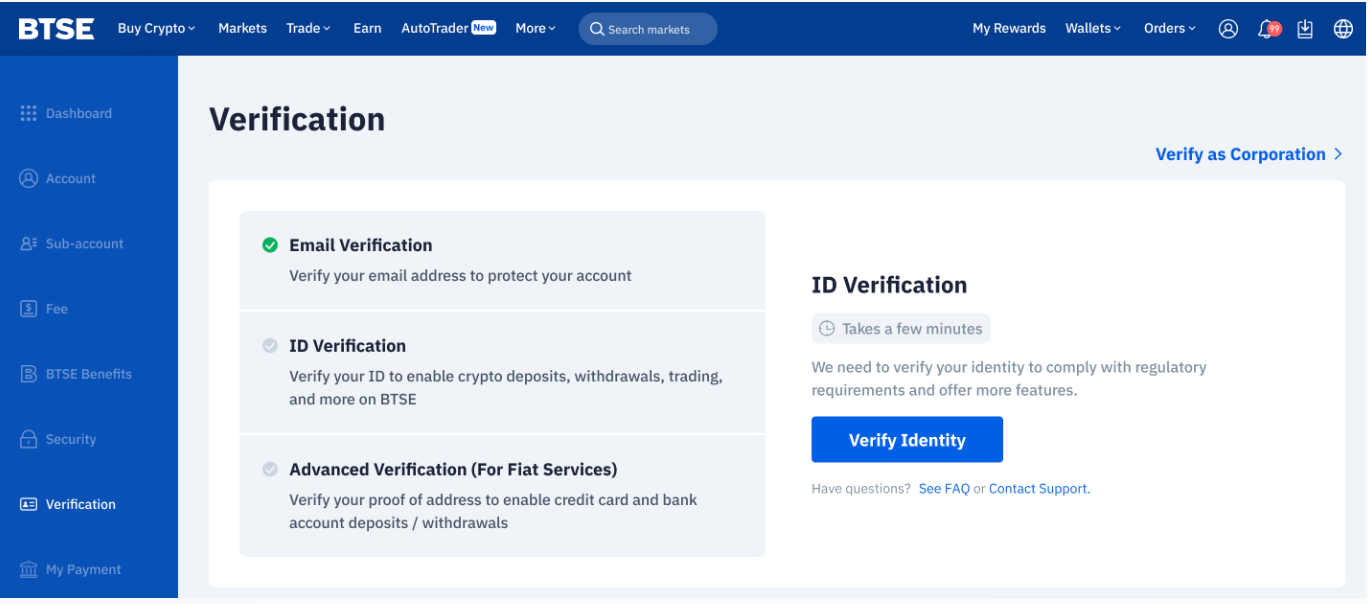
- Log in to your BTSE account and go the verification page
- Select your profile icon (top right)
- Click Verification
- By default, you'll land on the Individual Verification page.
- You can view your current verification level and withdrawal limits on this page.
Getting started on the app
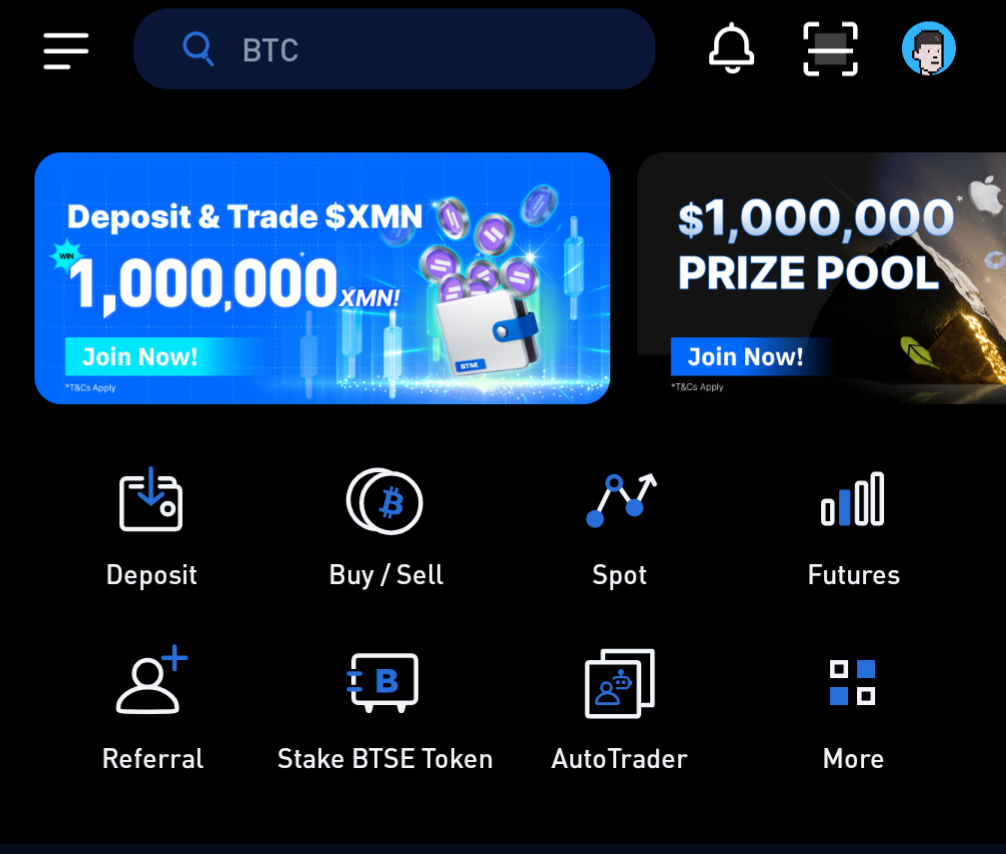
Open the BTSE app
Select your profile icon (top right)
Click Verification to be brought to the Verification page.
How do I complete Level 1 (Primary Verification)?
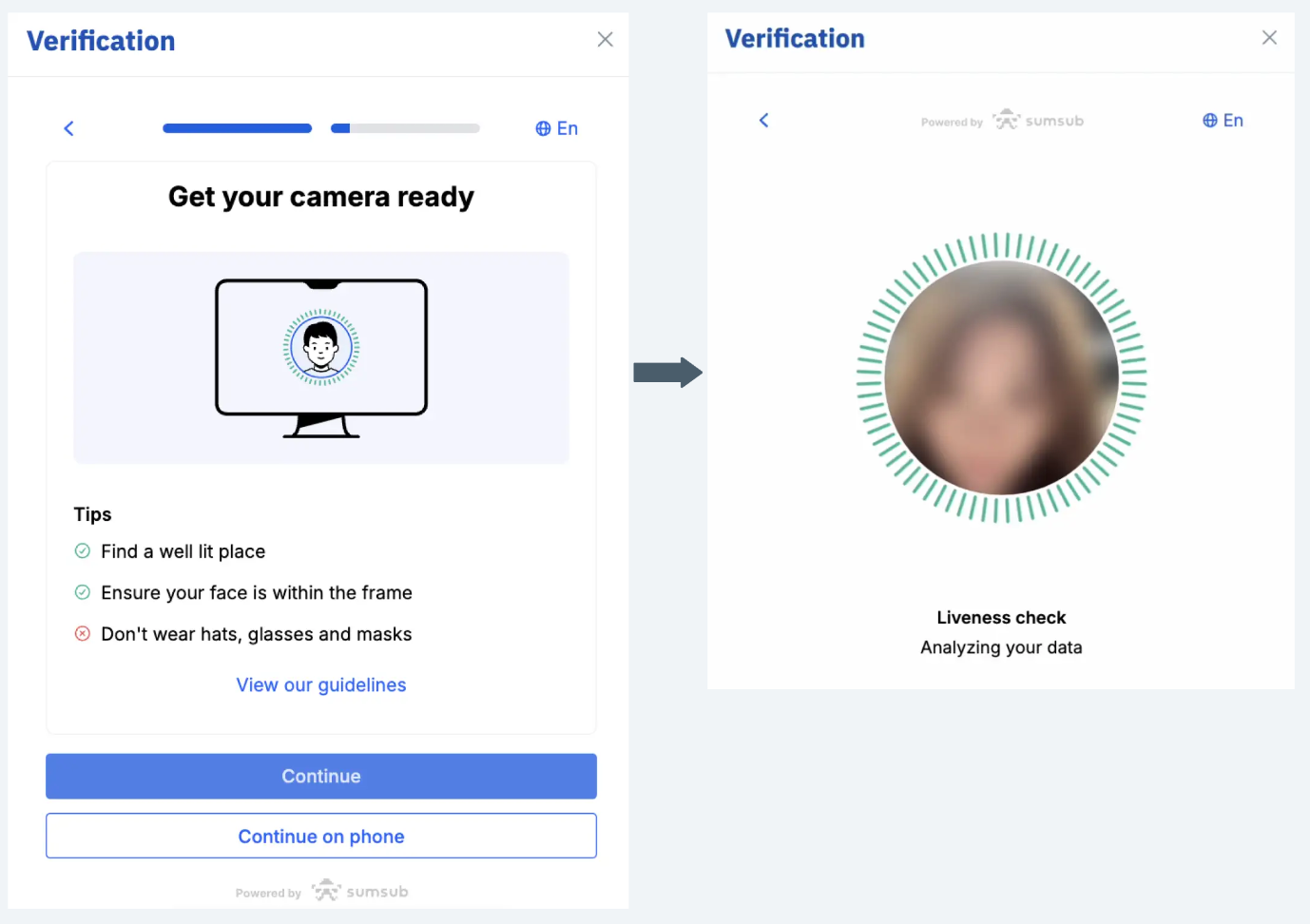
Select Verify Identity
Enter your personal information (must match your ID)
Upload your government-issued ID:
This should be a Passport, National ID, or Driver’s License depending on your selected nationality
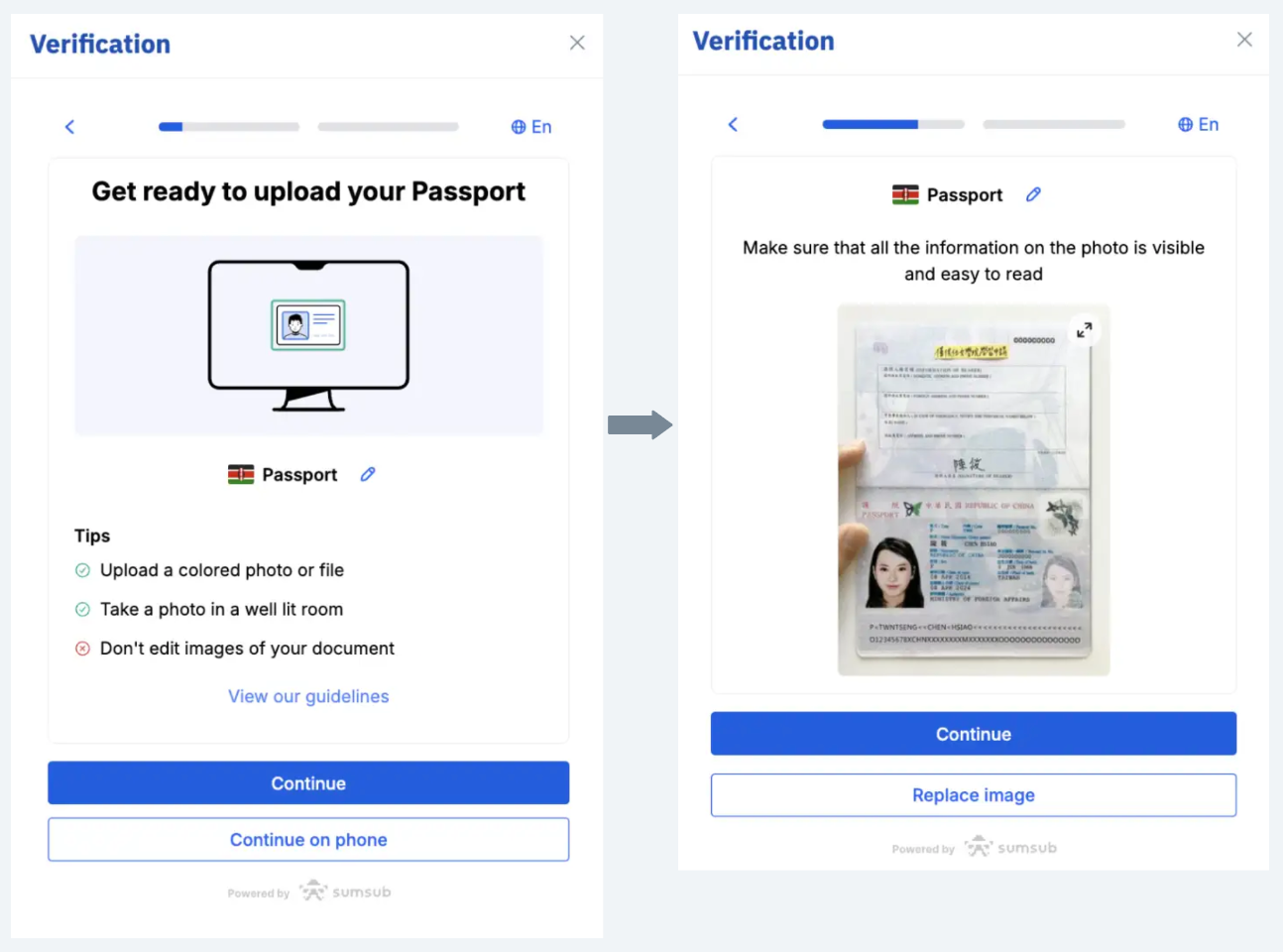
Complete a video selfie (liveness check)
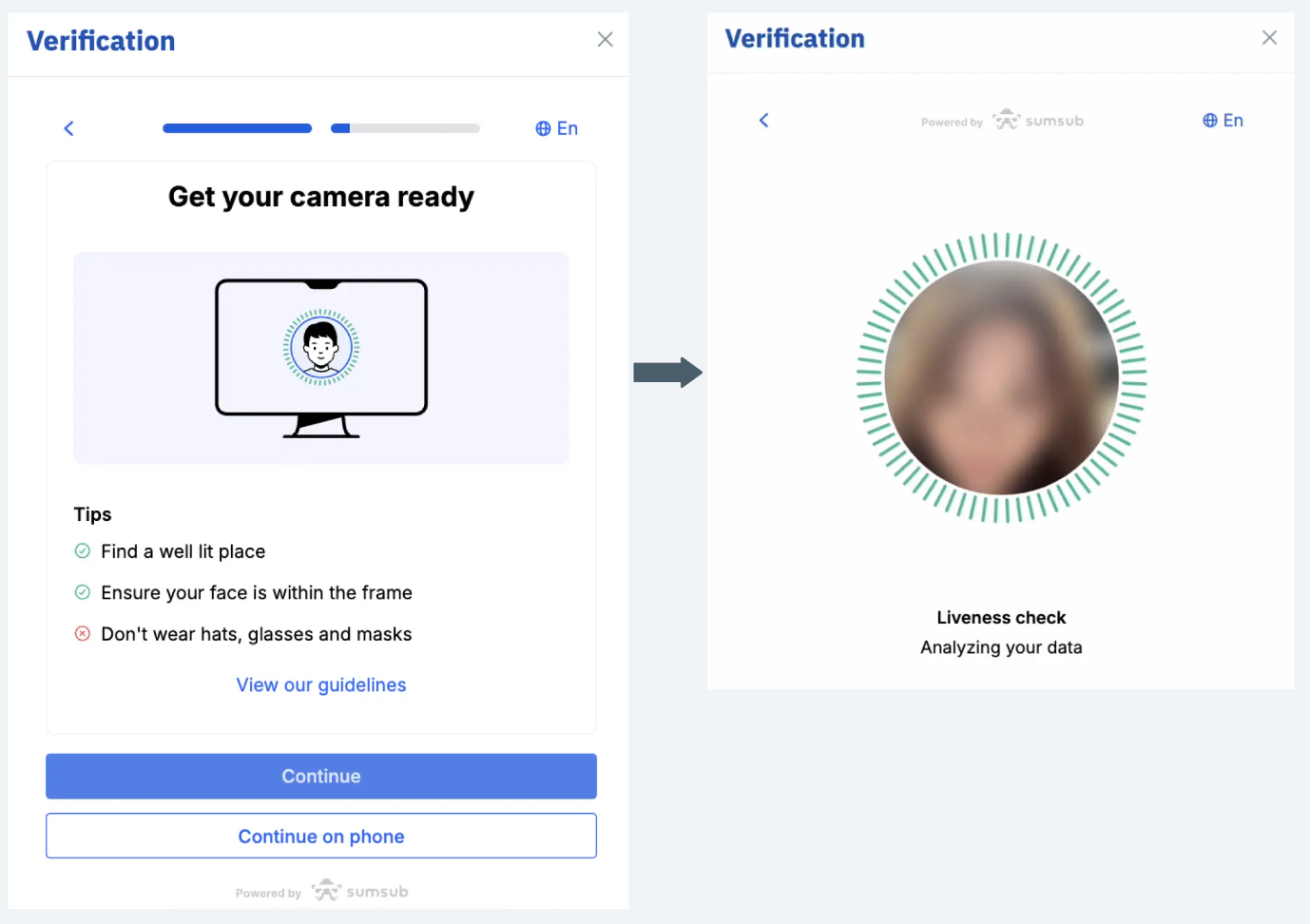
Tips:
Ensure images are clear and all details are visible
Use a well-lit environment for the selfie
Verification is usually completed within minutes. If additional checks are required, it may take 1–2 business days.
How do I complete Level 2 (Advanced Verification)?
Getting started on the web
After completing Level 1:
- Log in to your BTSE account and go the verification page
- Select your profile icon (top right)
- Click Verification
Select Advanced Verification
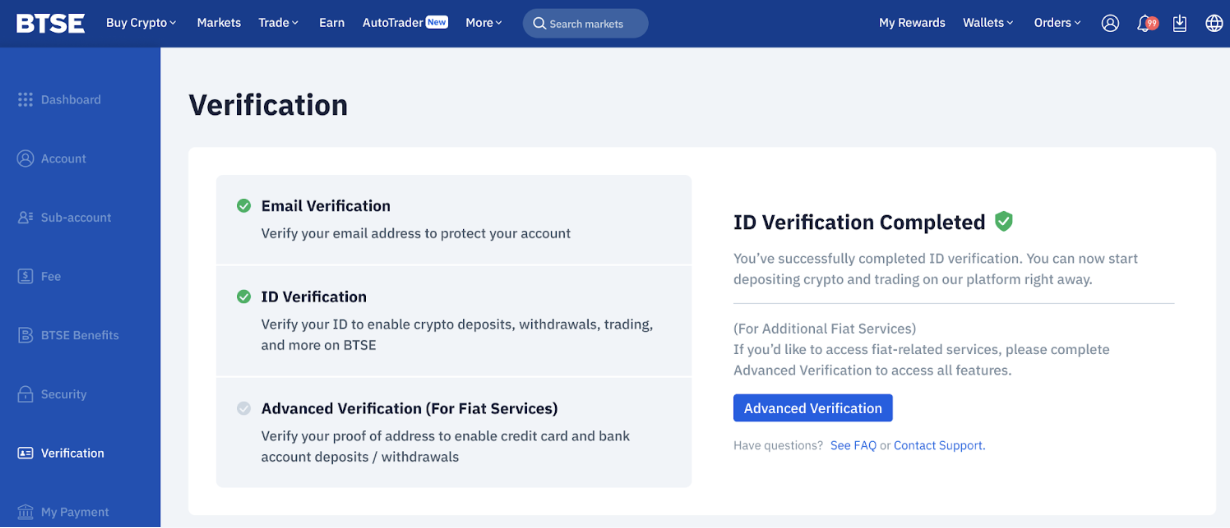
Getting started on the app
Open the BTSE app
Select your profile icon (top right)
Click Verification to be brought to the Verification page
Select the Advanced Verification option
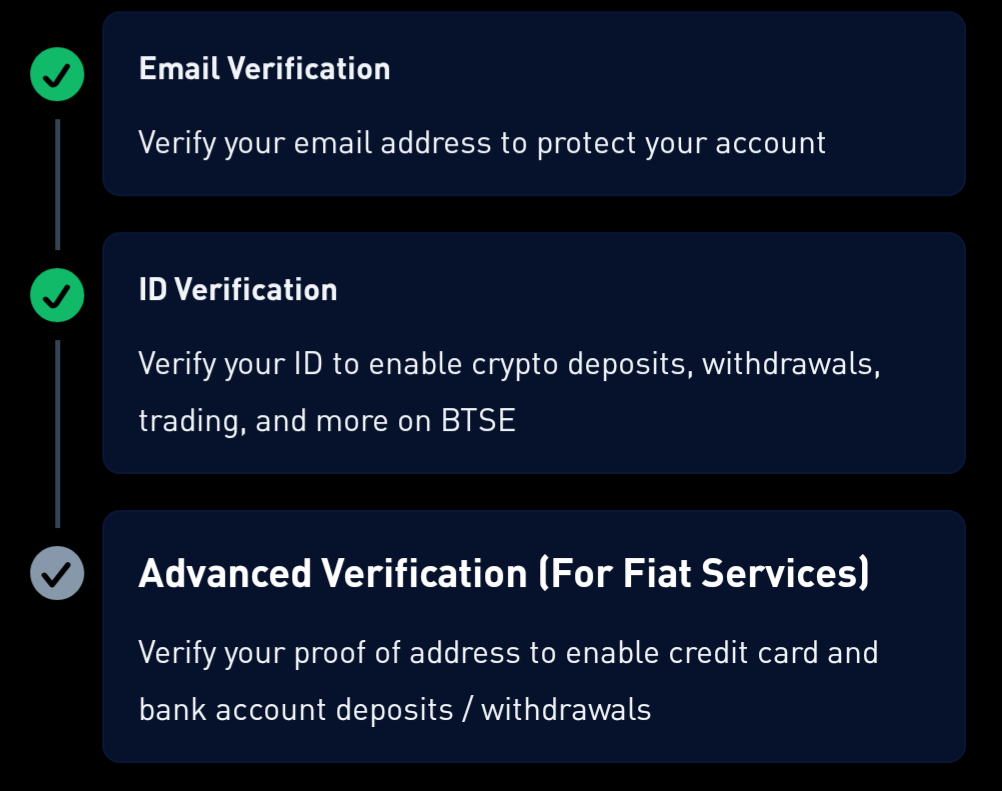
Verifying your residential address
Upload a valid proof of address
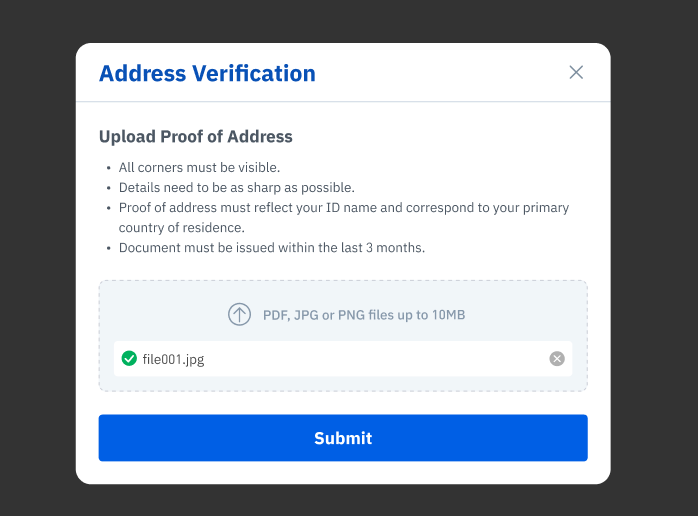
Accepted documents:
Utility bill
Bank statement
Tax document
Lease or rental agreement
Government-issued letter
Requirements:
Must include your full name and address
Must be dated within the last 3 months
FAQs
Why can’t I complete verification?
You may be unable to verify your account for the following reasons:
1. Unsupported jurisdictions
Users from sanctioned or restricted countries are not eligible for verification. You can refer to this article for more information on BTSE's applicable prohibitions and restrctions.
2. Submission limits reached
You can submit verification documents up to 3 times. Should there be rejections due to document or information issues, please contact our support channels.
3. Phone verification issues
Ensure your phone number is entered correctly
If you exceed OTP attempts, retry after 24 hours
Tips for successful verification
Upload clear, high-quality images
Ensure all information matches your documents exactly
Follow on-screen instructions carefully
Check your email (including spam/junk folder) for updates
Respond promptly if additional information is requested

