You can withdraw cryptocurrency from your account directly to your MetaMask wallet by following these steps:
Step 1: Go to the Withdrawal Page
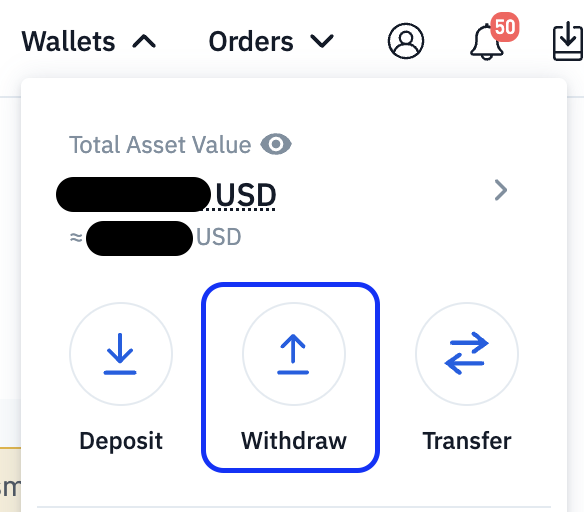
Select the cryptocurrency that you would like to withdraw. MetaMask supports Ethereum-based assets (ETH and ERC-20 tokens only).
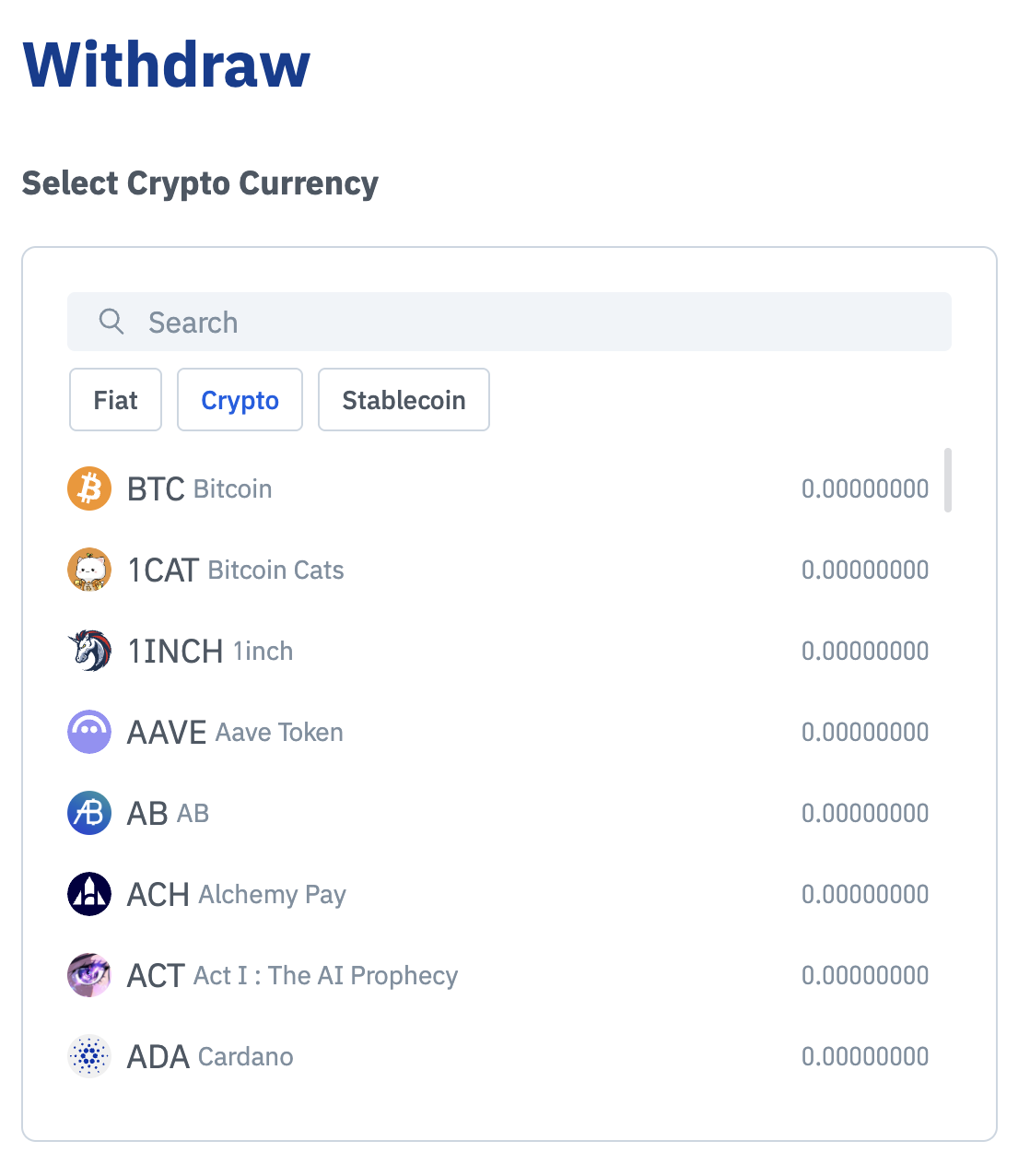
Step 2: Connect Your MetaMask Wallet
Click MetaMask as your withdrawal method
Click Connect
Select your MetaMask account and approve the connection
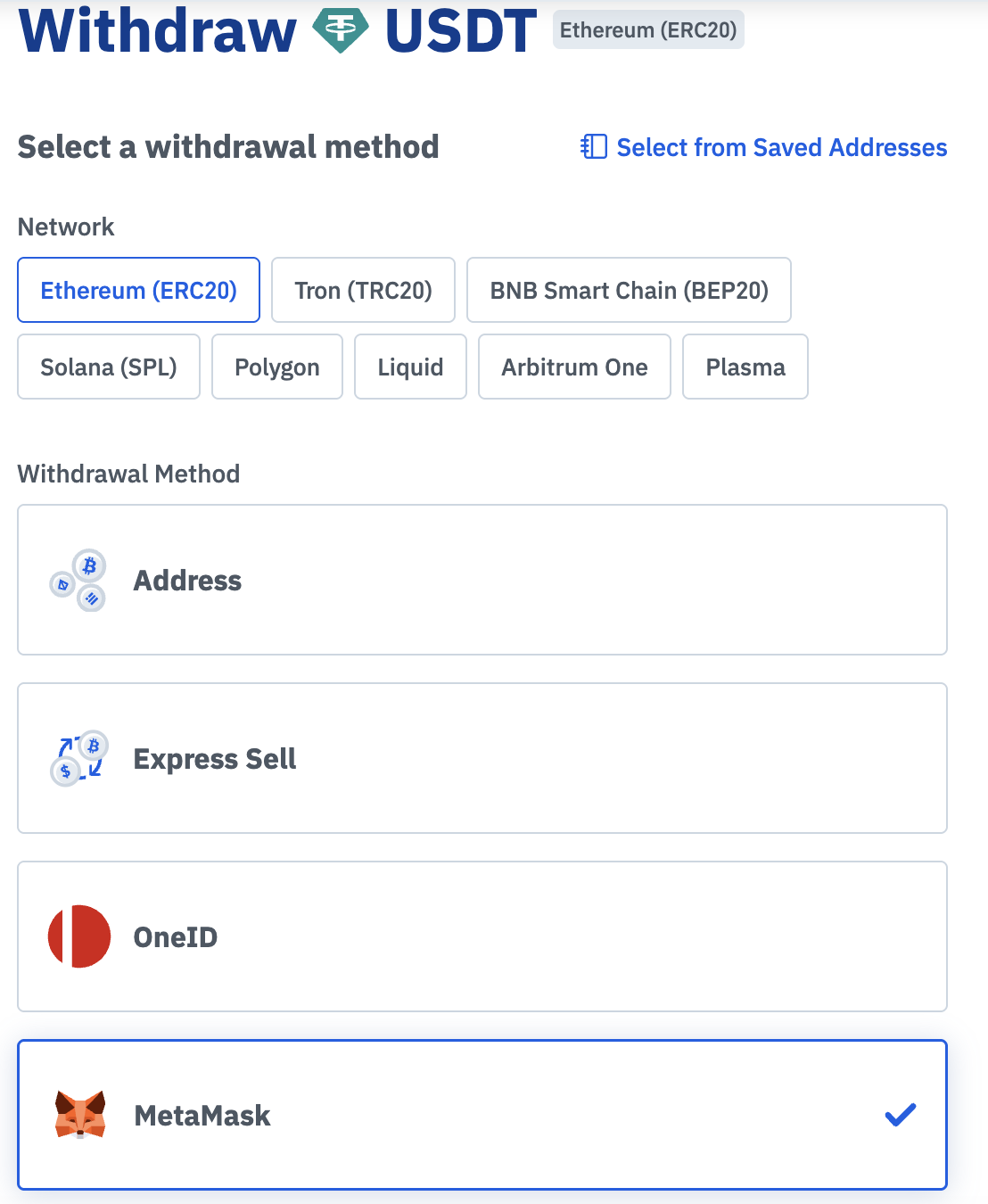
Once connected, your MetaMask wallet address will be displayed automatically.
Step 3: Enter Withdrawal Details
Enter the amount you wish to withdraw
Review the network and fees
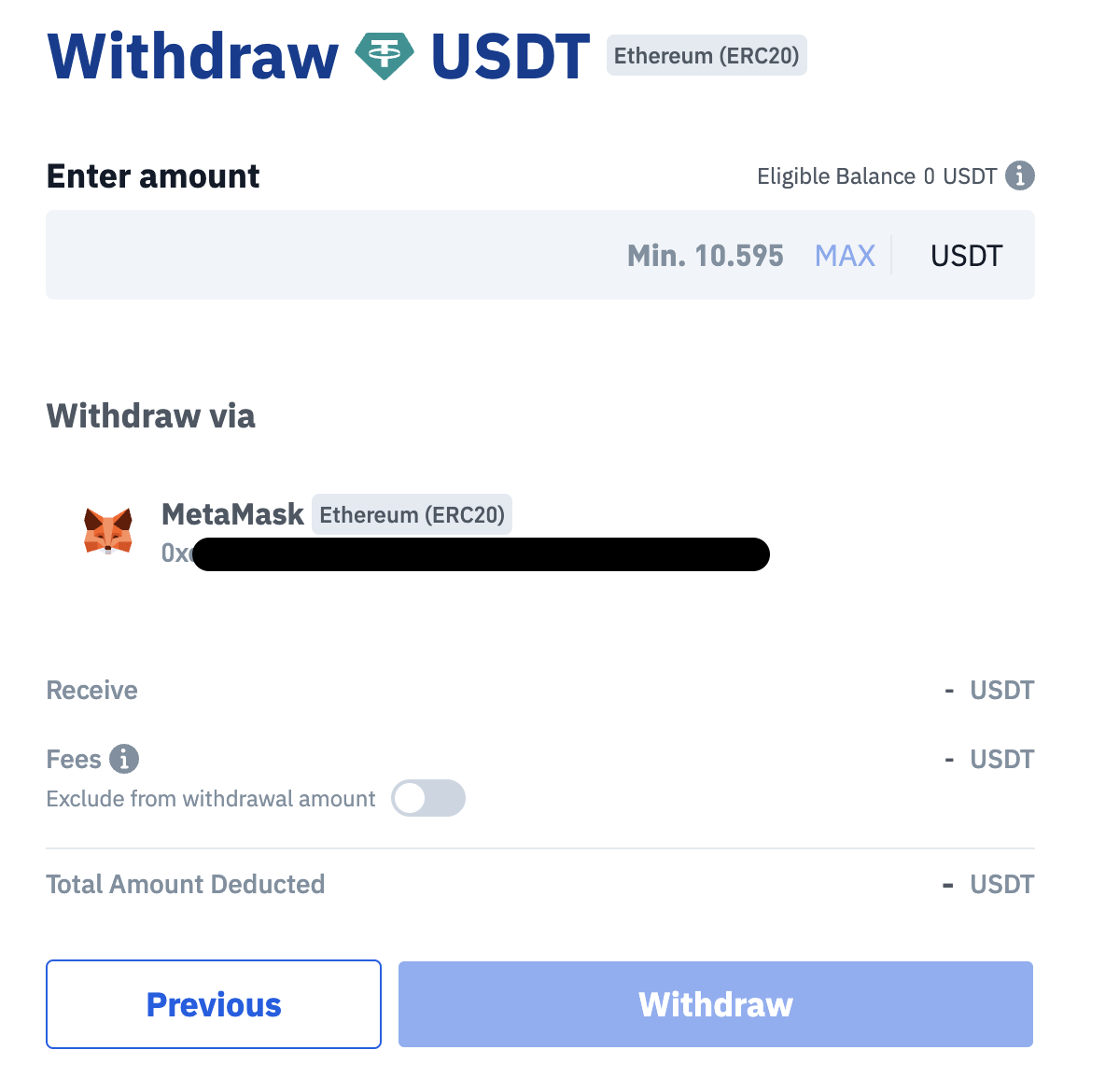
Step 4: Review and Confirm
Double-check all details, including:
Wallet address (auto-filled via MetaMask)
Network (ERC-20)
Amount
Click Withdraw to proceed
Step 5: Complete Security Verification
Enter your 2FA / email verification code
Confirm the transaction
Step 6: Wait for Processing
Your withdrawal will be processed after submission
You can track the status in your Transaction History

